What Wi-Fi is around me?
Survey nearby radios, compare signal posture, and look at channel pressure without opening a separate analyzer.
DTNT gives AV, low-voltage, smart-home, and network techs one Windows app for the checks that come up on real service calls: Wi-Fi, IP devices, Copy IP, speed, saved profile review, and Pro follow-up tools for ports, exports, and deeper diagnostics.
Use the free app first. Go Pro when recommendations, selected-host follow-up, exports, saved-key reveal, and repeat-use workflows matter.
The value is simple: get oriented faster, make cleaner decisions, and keep useful evidence when the job needs a handoff.
Survey nearby radios, compare signal posture, and look at channel pressure without opening a separate analyzer.
Scan the active subnet, keep remembered devices visible, and see likely local device web interfaces. Pro unlocks selected-host browser follow-up.
With Pro, check common TCP ports on a selected authorized host, plus one custom port, when the web path is not obvious.
Run speed checks and keep saved in-app results for comparison, support notes, or handoff after changes.
Review saved Wi-Fi profiles and use Pro when you need reveal, copy, and export-oriented workflows.
Yes. Install DTNT first, use the free core, then unlock Pro when the saved workflow is worth it.
These are real DTNT screens, not a generic mockup.
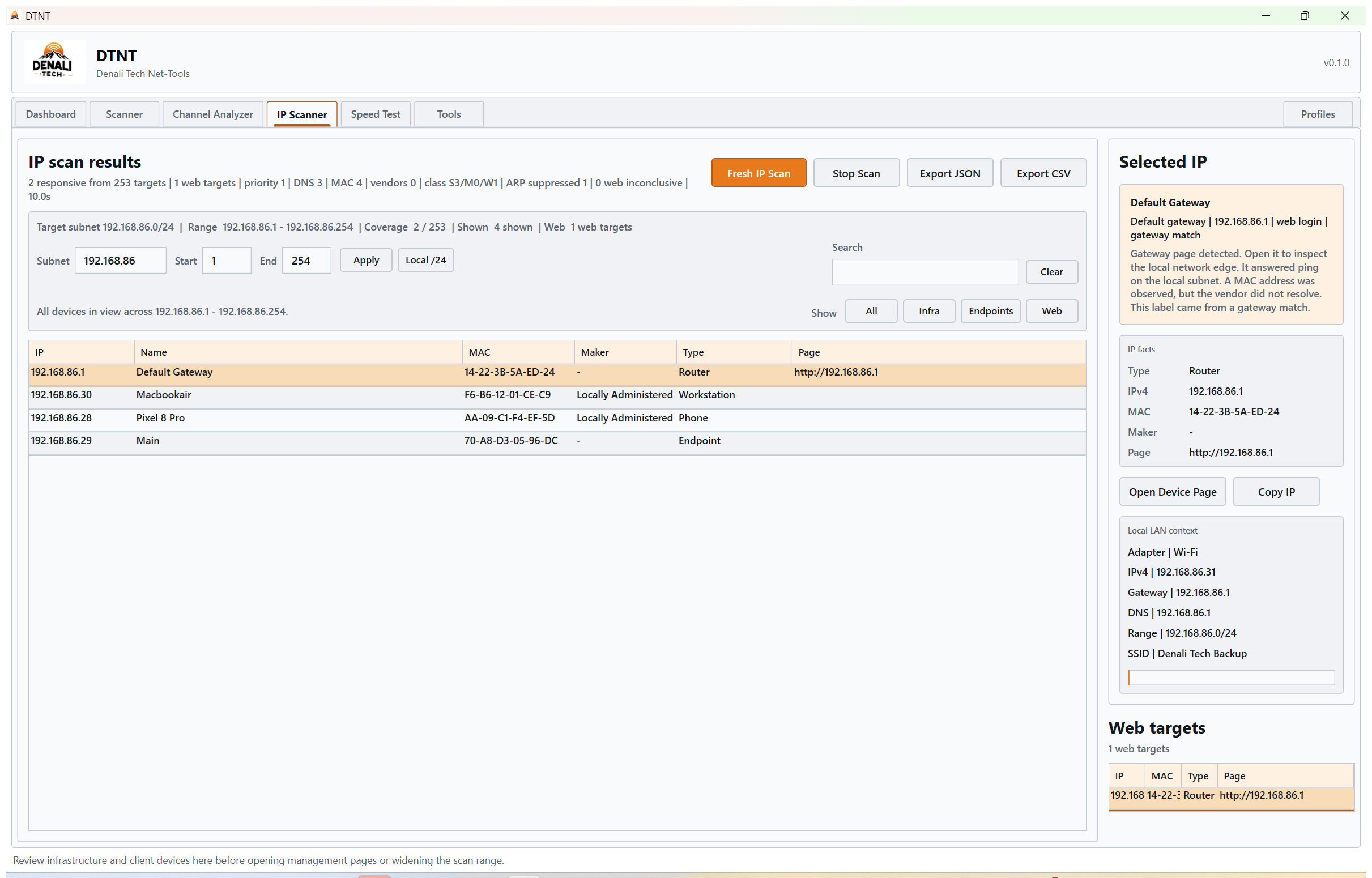
Find local devices, web indicators, remembered hosts, labels, filters, and Copy IP. Pro adds selected-host page and port follow-up.
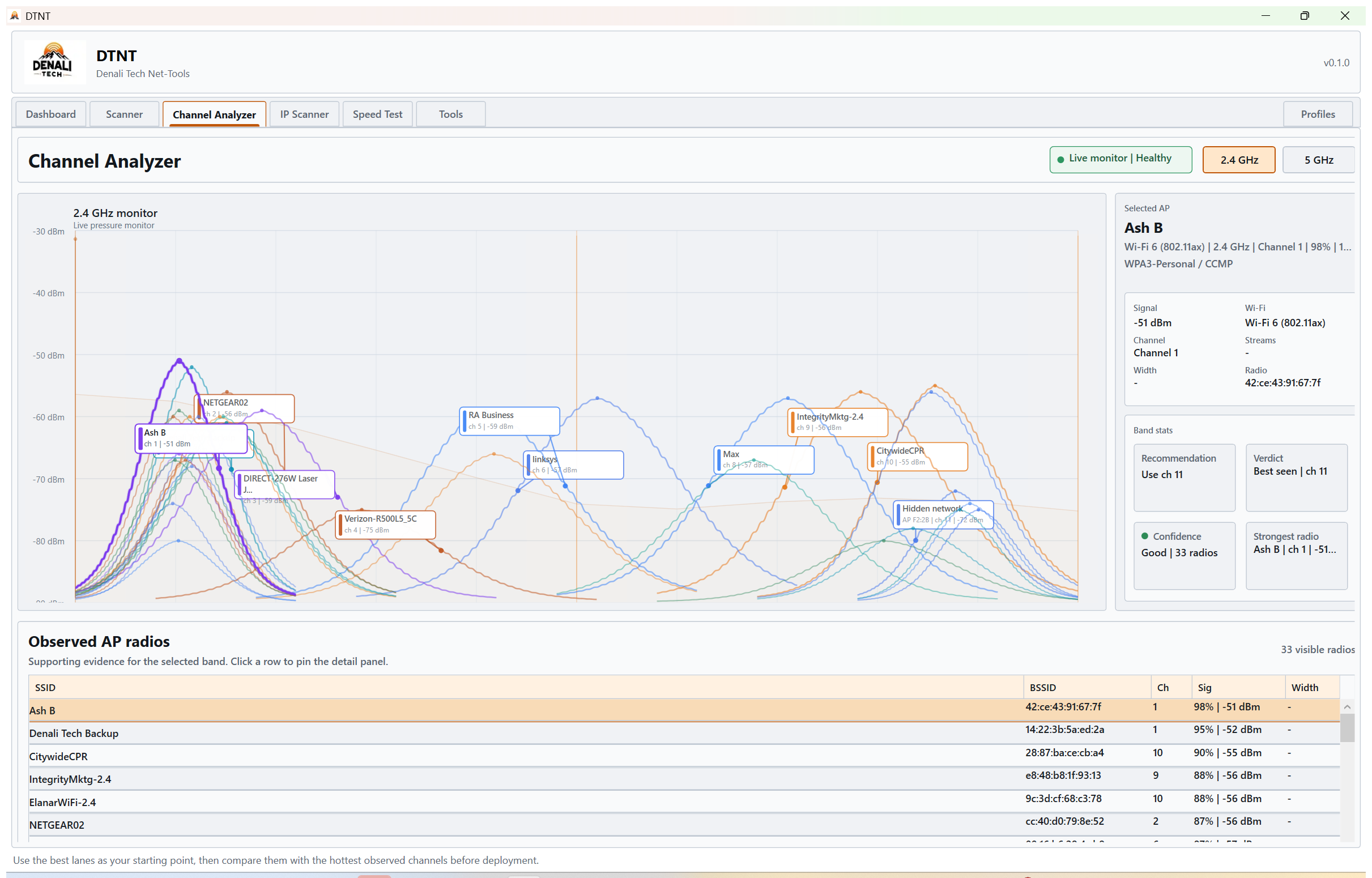
Understand nearby radio pressure before you change channels or hardware placement.
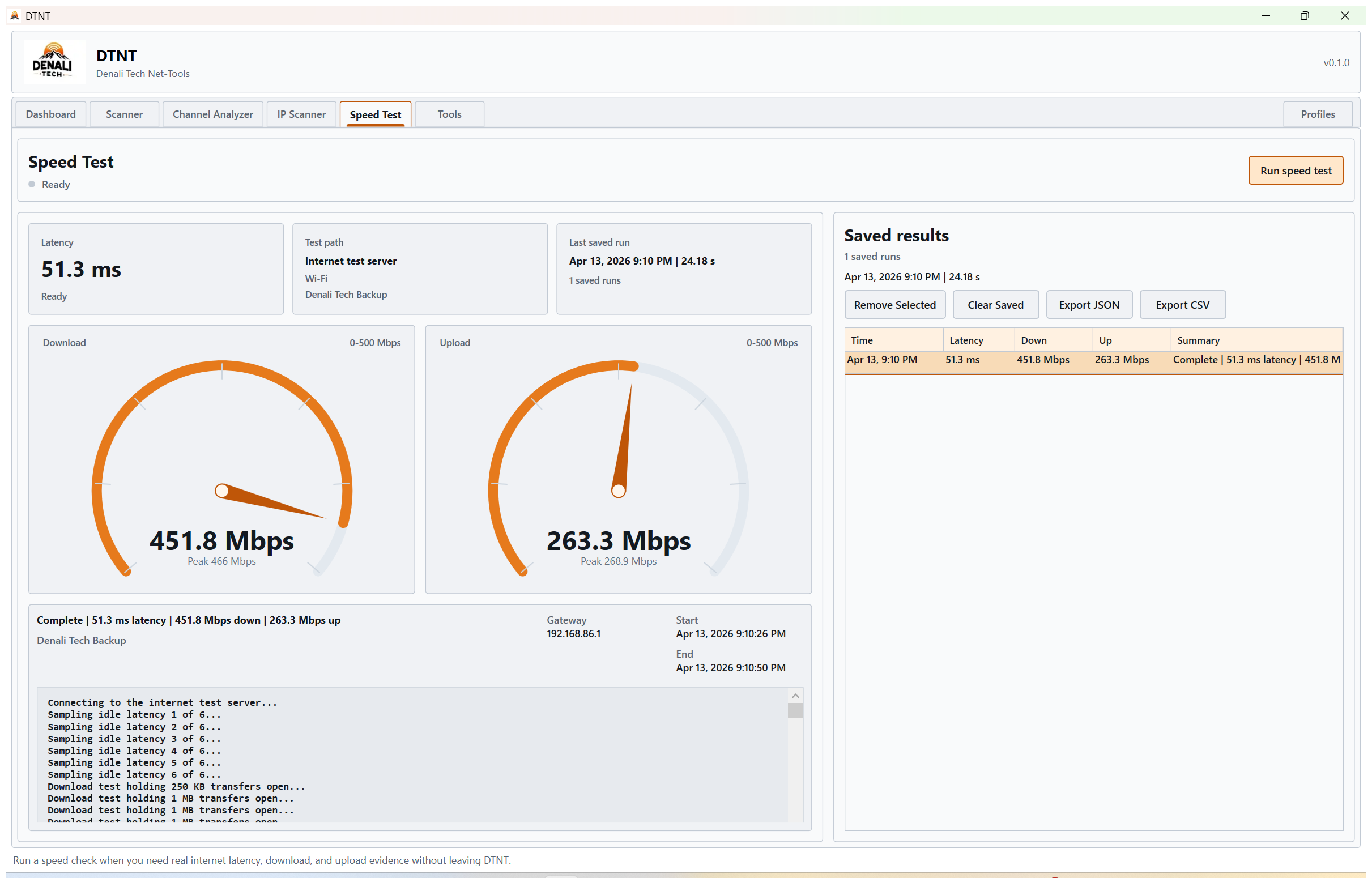
Save latency, download, and upload runs for repeat checks and support handoff.
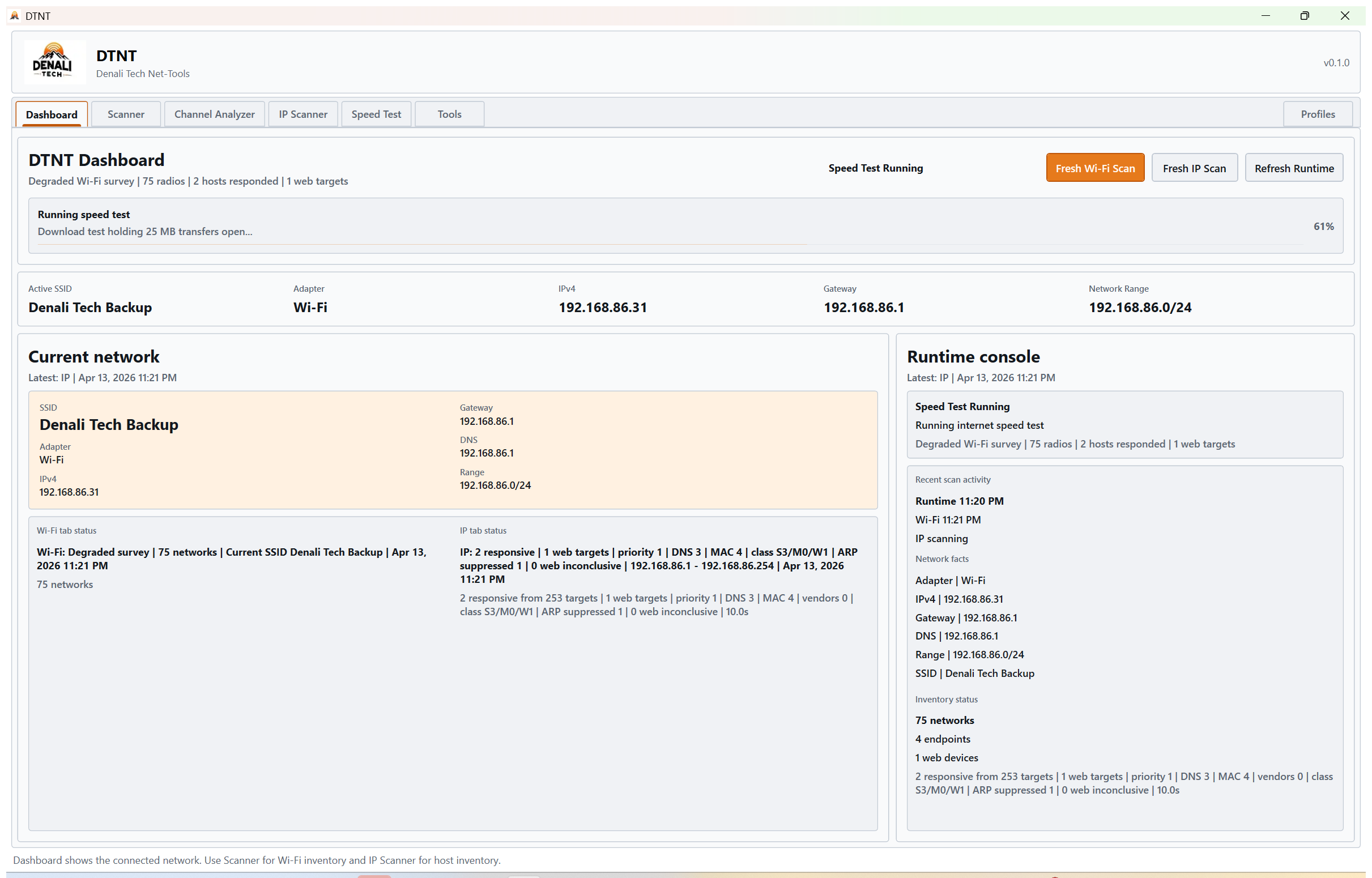
Keep adapter, gateway, DNS, subnet, and local identity close while you work.
DTNT Pro is a one-time $59 launch purchase. Install from Microsoft Store, buy through Stripe, then activate in the app with purchase email plus activation code.
Built from the kind of service call where you are standing next to the rack, the network is messy, and you need enough truth to decide the next move.DTNT by Denali Tech