
Wi-Fi analyzer
Free: review nearby radios, signal posture, current SSID, band, channel, and security from a readable live survey surface.
DTNT brings Wi-Fi visibility, IP discovery, speed testing, saved profile review, and operator-facing diagnostics into one desktop app. Free covers the main checks. Pro unlocks recommendations, selected-host follow-up, exports, saved-key reveal, and advanced diagnostics.
These are the product surfaces DTNT is built around today. The goal is not more tabs for the sake of more tabs. It is tighter workflows for Wi-Fi inspection, local-device discovery, selected-host checks, and saved results when you need to show what happened on a network.
Free: review nearby radios, signal posture, current SSID, band, channel, and security from a readable live survey surface.
Free: live channel view and competing-radio context. Pro: best-channel guidance, richer lane-pressure detail, and clearer deployment calls.
Free: refresh or fresh scan, remembered online/offline hosts, labels, filtering, web indicators, and Copy IP. Pro: open authorized local device pages, run selected-host TCP checks, Copy Name/MAC, and export.
Free: run speed tests and keep saved in-app history. Pro: export speed history to JSON or CSV when you need handoff evidence.
Free: review saved Wi-Fi profile names, security, and live-versus-saved comparison. Pro: reveal/copy saved keys, remove profiles, and export.
Free: ping once from the Tools workspace. Pro: continuous ping and trace route for longer troubleshooting sessions.
The product site now gives each of the major workflows a clearer place in the story, so buyers can understand what the app actually does before they hit install or buy Pro.
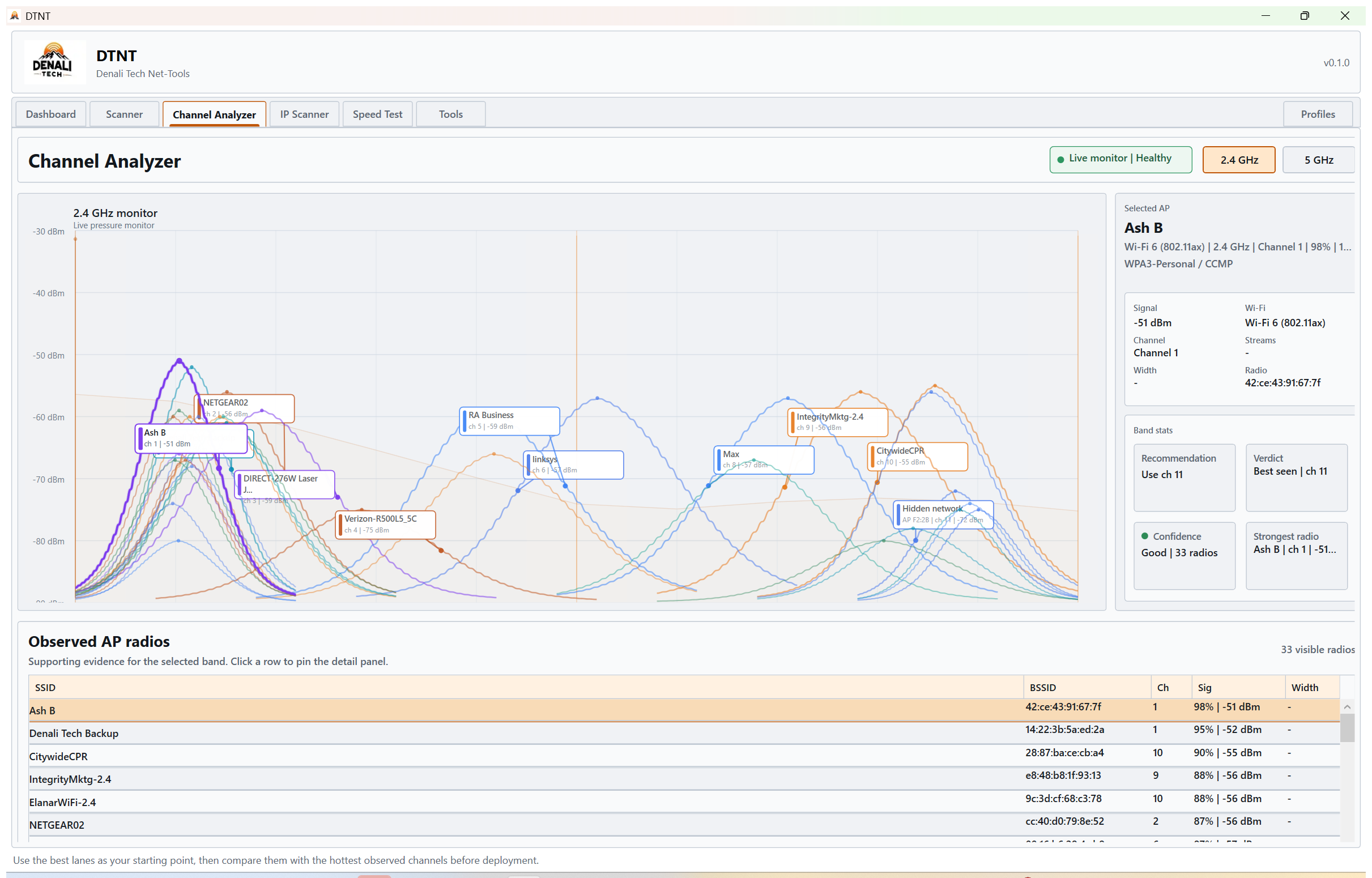
Stay focused on one band at a time and compare lane pressure without chart clutter getting in the way.
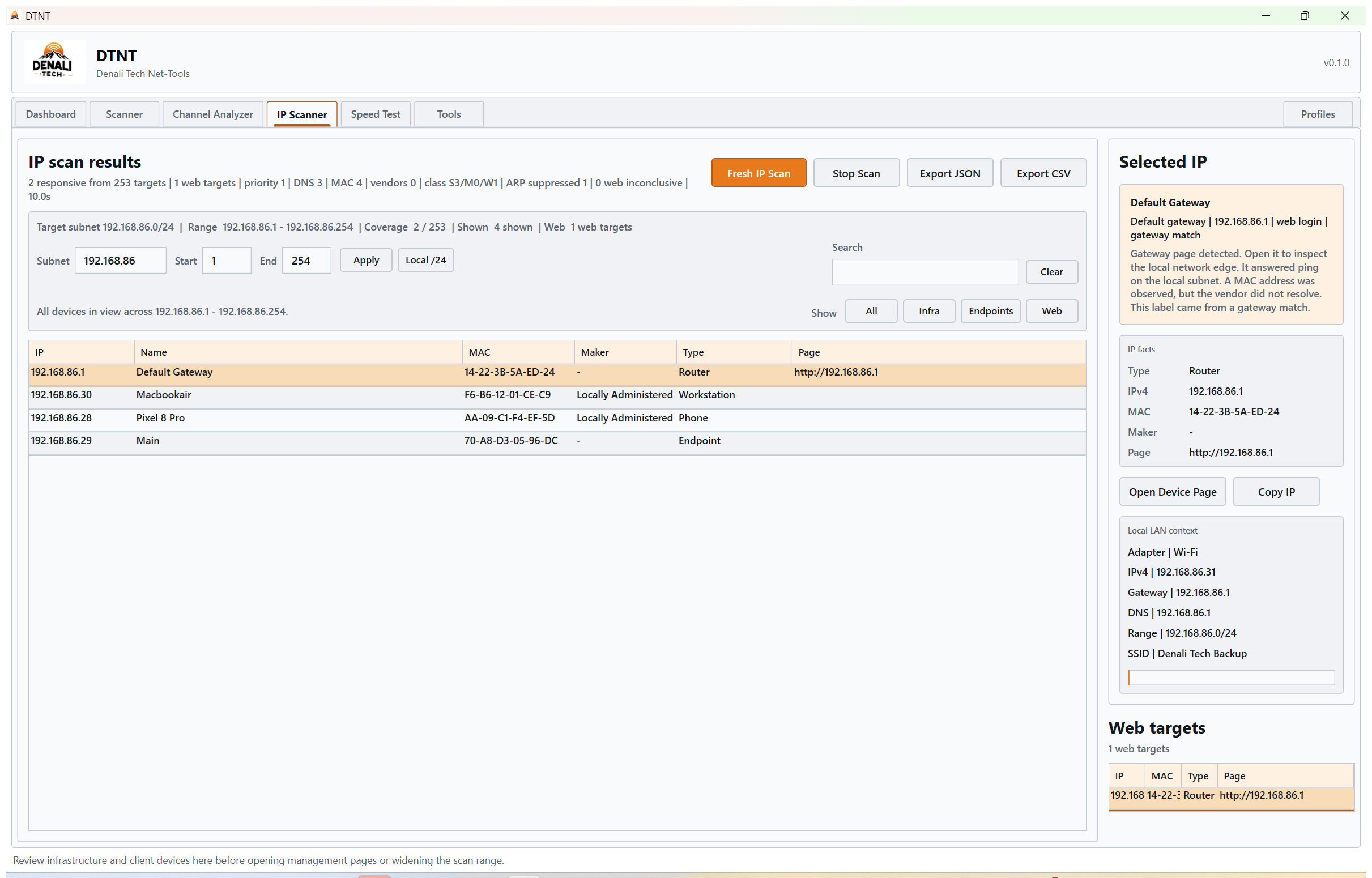
Scan the active network range, flag likely local device web interfaces, and keep infrastructure easier to separate from client devices.
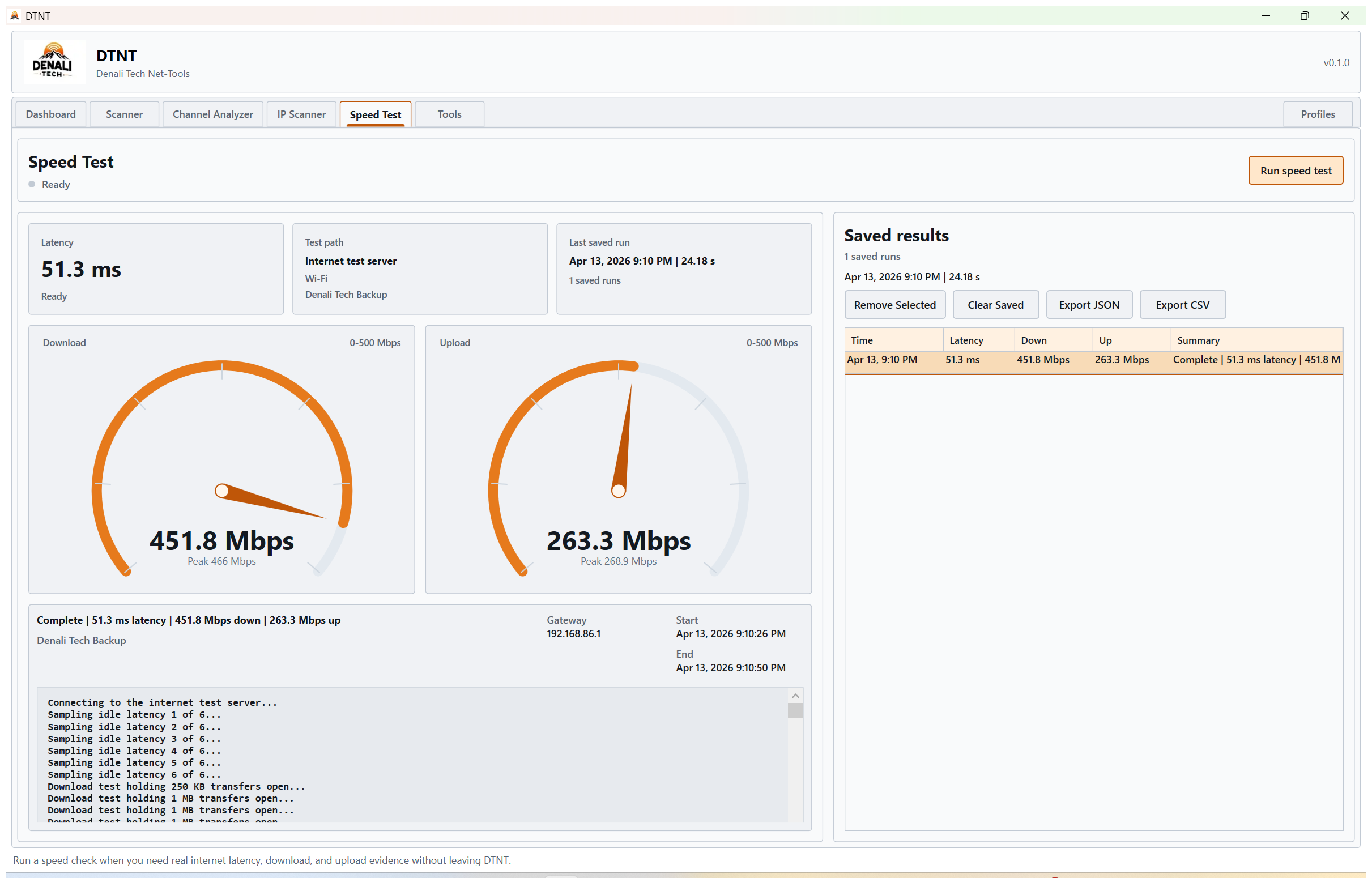
Save latency, download, and upload runs so you can compare results later instead of relying on memory.
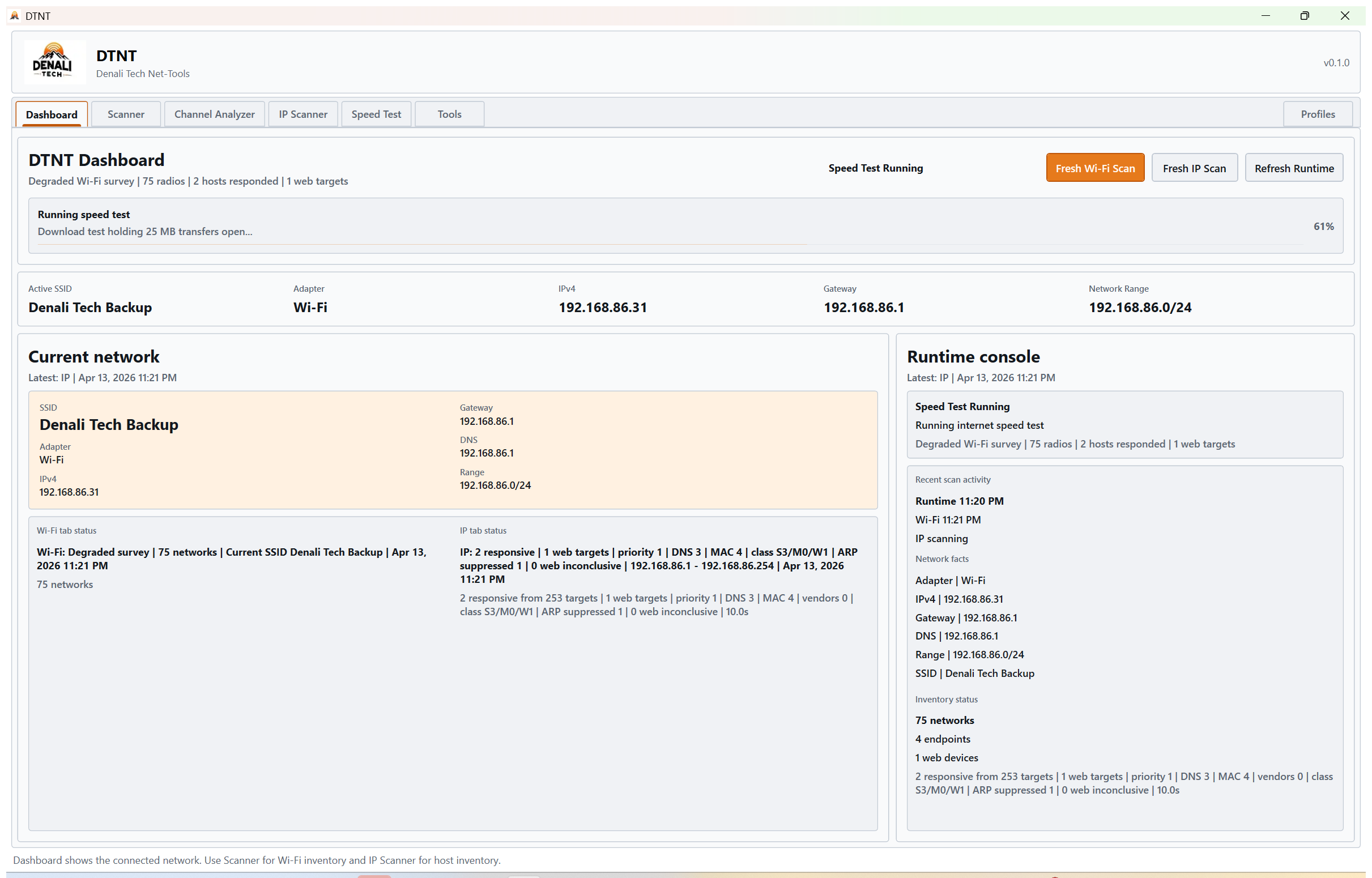
Keep the active adapter, subnet, gateway, and local identity visible while you work through the rest of the suite.
DTNT is a fit for people who need quick local visibility without opening a browser tab jungle, juggling multiple free tools, or writing down results by hand after every check.
DTNT is built around a simple promise: help you see Wi-Fi, see the local network, check the host in front of you, and keep saved results, all from one Windows app.Denali Tech product direction